Often times, training events are not associated with instructional activity but need to be accounted for on schedule and payroll. Examples include:
- Seminar
- Ground School
- Employee Review
- Paid Time Off
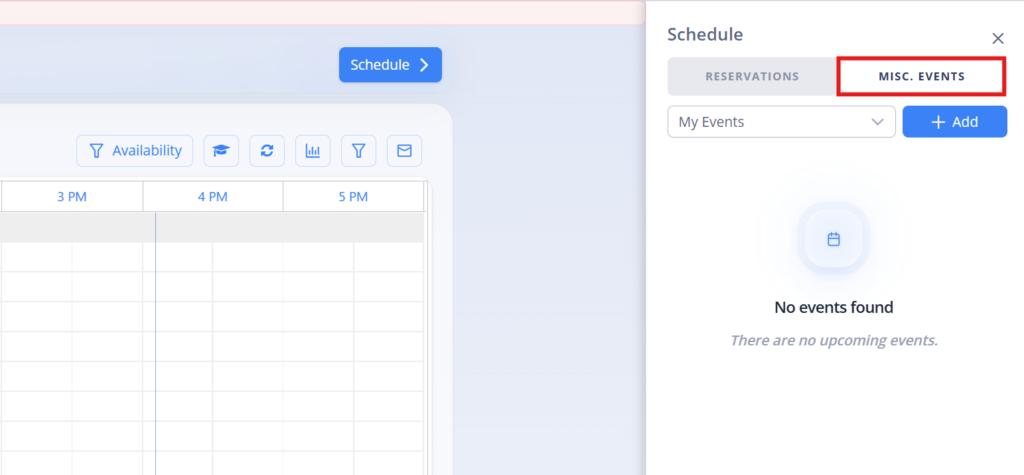
You can easily schedule these events on the schedule page by selecting Misc Event at the top of schedule flyout and click +Add to create new event.
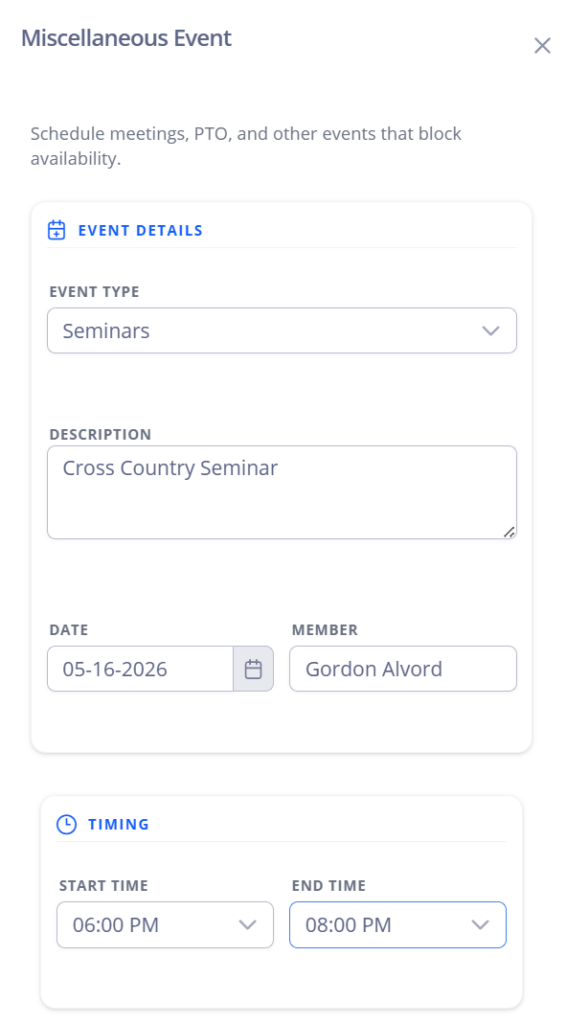
Enter the appropriate information. In this case, Gordon Alvord will be delivering a Seminar on cross country planning on the 16th from 6-8 pm. Alternatively, you can create a new event type for payroll tracking purposes.
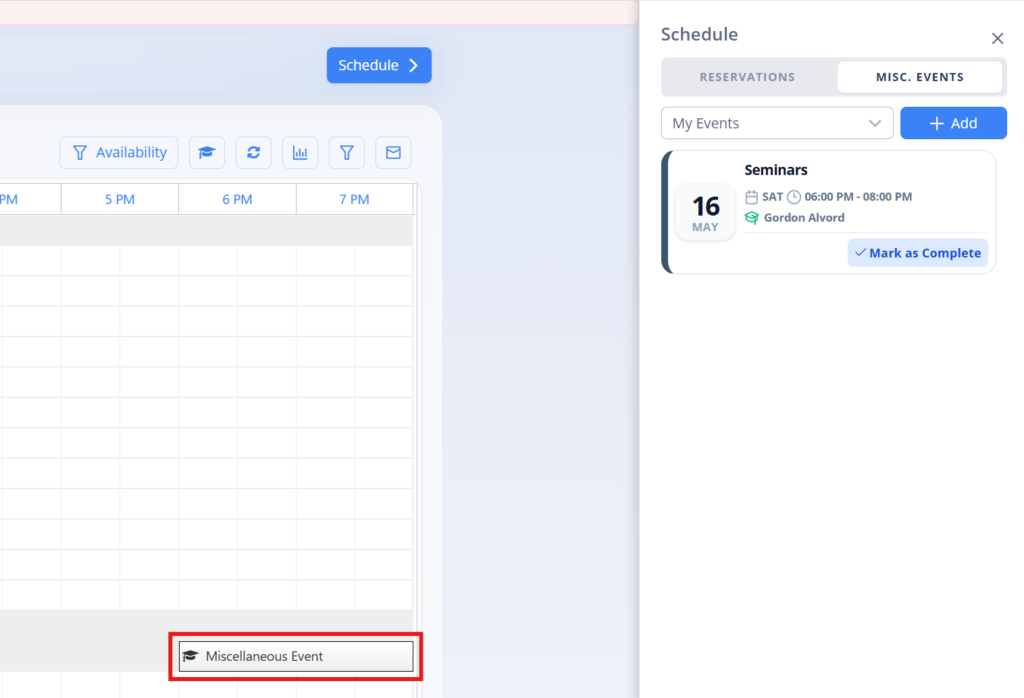
Once created, the event will block the appropriate instructor’s schedule and generate an event tile for syncing with personal calendars.
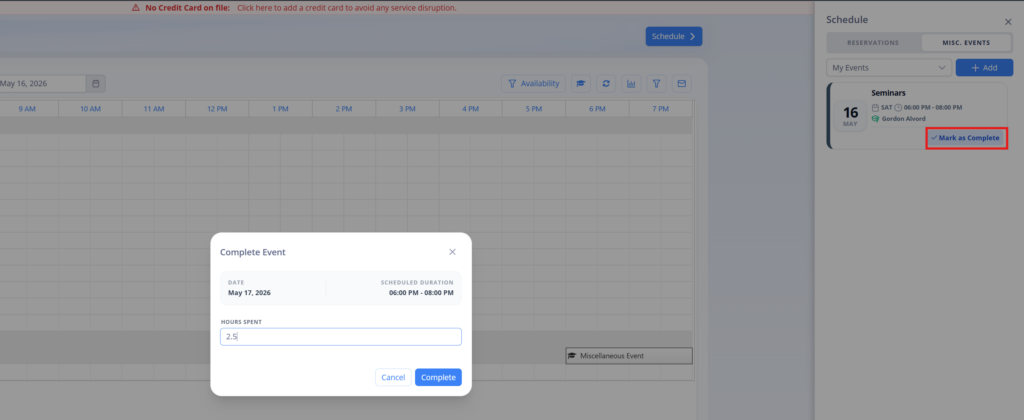
Once the event is complete, click the Mark as Complete button on event tile and verify appropriate hours. In this case, Gordon spend an extra 30 minutes reviewing student questions and reports 2.5 total hours for event. Click Complete button when finished.
The event is now published to the Misc Event Approval report under Accounting category on left menu. Depending on selected setting, the event will either default to Approved (no validation required), or Pending for Staff or Chief Instructor approval.
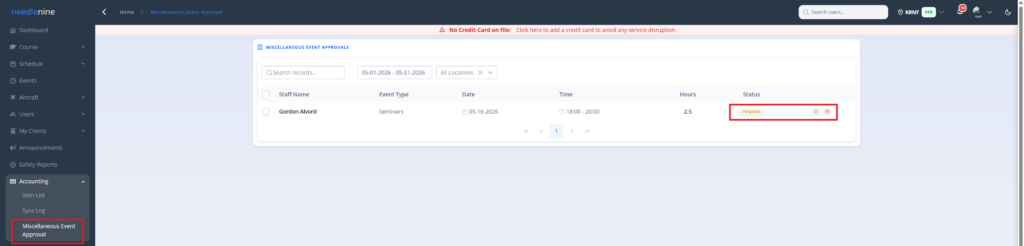
Once approved, the event will be included in the Accounting > Misc Events reports to be included in payroll processing.
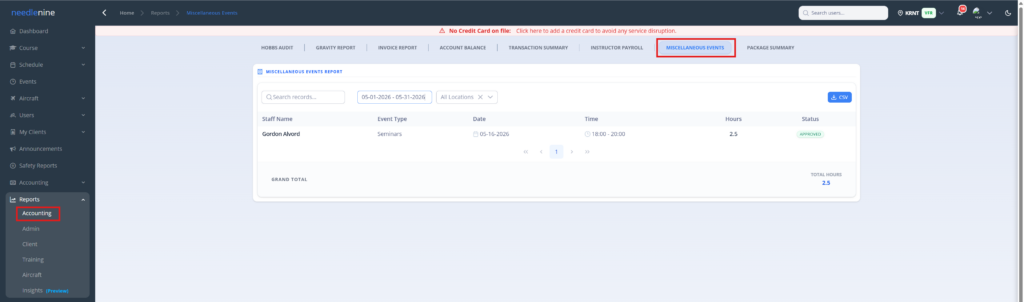
Note: Due to the wide variety in methods of compensation, this feature does not include instructor rates. When processing payroll, the admin should apply agreed flat or hourly rates for Misc Events to calculate compensation.